 CharterBoards
Board meetings without the late nights.
Build the agenda and board packet, record motions during the meeting, and post the minutes to your public board page. One place, made for school leaders.
$150 a month, billed yearly. Free for 45 days. No credit card. Your records are yours to export any time.

From agenda to posted minutes, in three steps.
Build the agenda
Start from your template or last month's meeting. Attach the documents to each item, then send the agenda to your board and download it as a PDF.
Run the meeting
Take attendance, record each motion, who moved and seconded it, and how every member voted. Put the agenda on the screen for the room.
Post the minutes
The minutes are drafted by the time you adjourn. Approve them at the next meeting and publish them to your public board page.
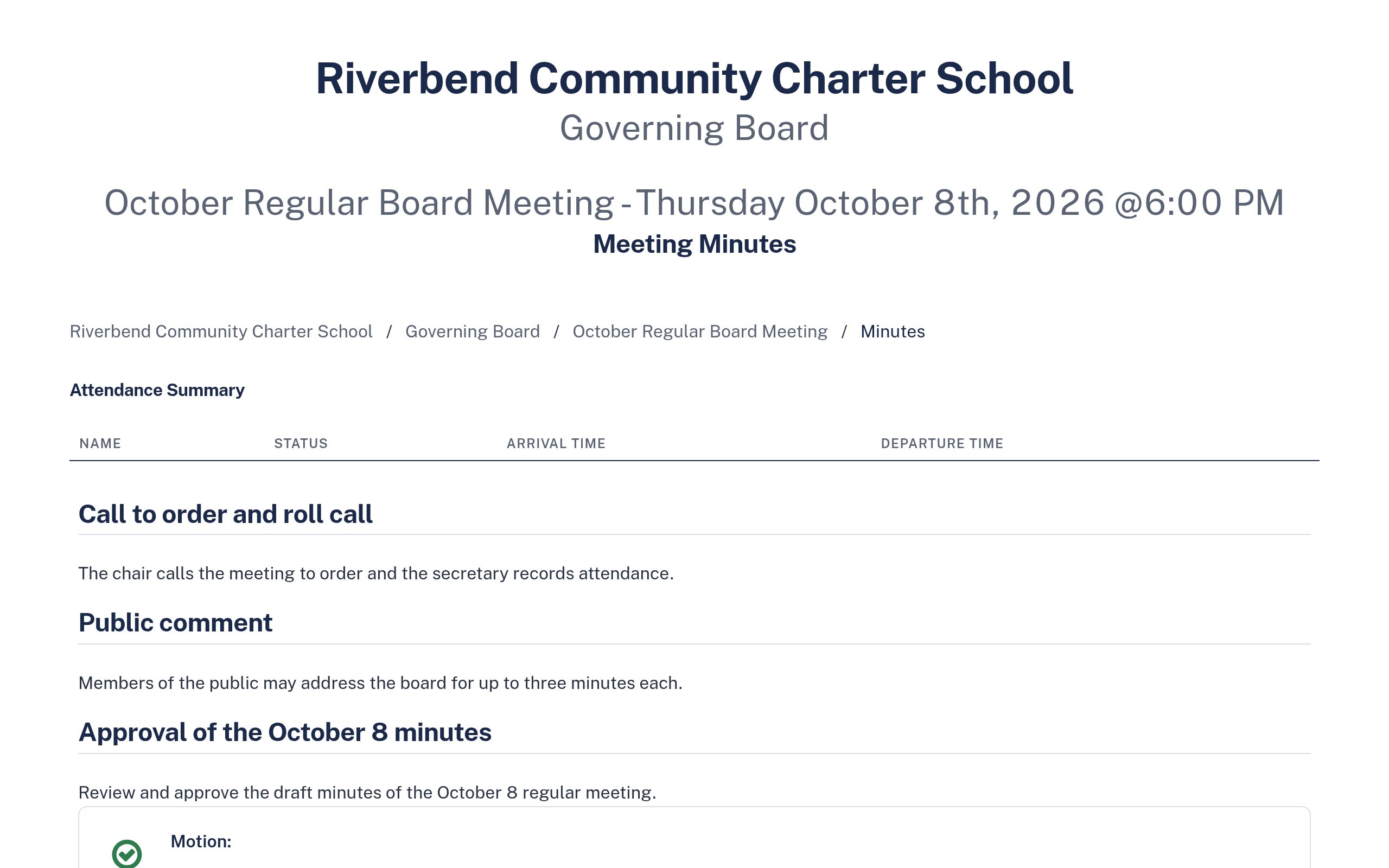
Minutes that are ready when the meeting ends.
Agenda items carry over into the minutes. Record motions and votes as they happen, and CharterBoards writes them up in a clean, standard format.
- Attendance with arrival and departure times
- Motions, seconds, and each member's vote
- A PDF for the board binder, generated for you
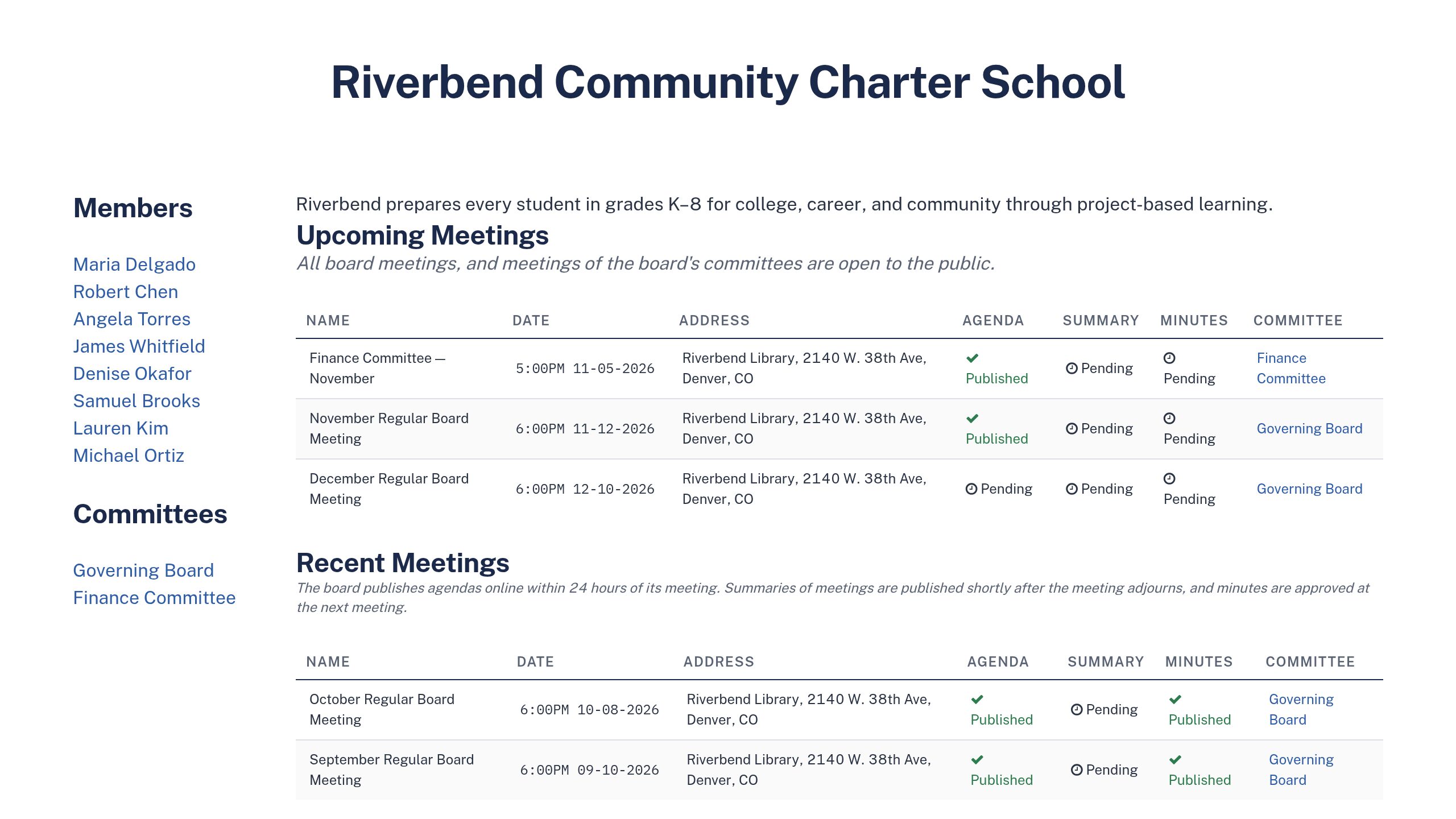
Your public record, posted for you.
Every board gets a public page with upcoming meetings, agendas, minutes, members, and committees. Parents, reporters, and your authorizer find everything in one place. Prefer to keep it private? Turn it off.
- Agendas and minutes posted with one click
- A meeting calendar people can subscribe to
- Member names and bios, committee pages
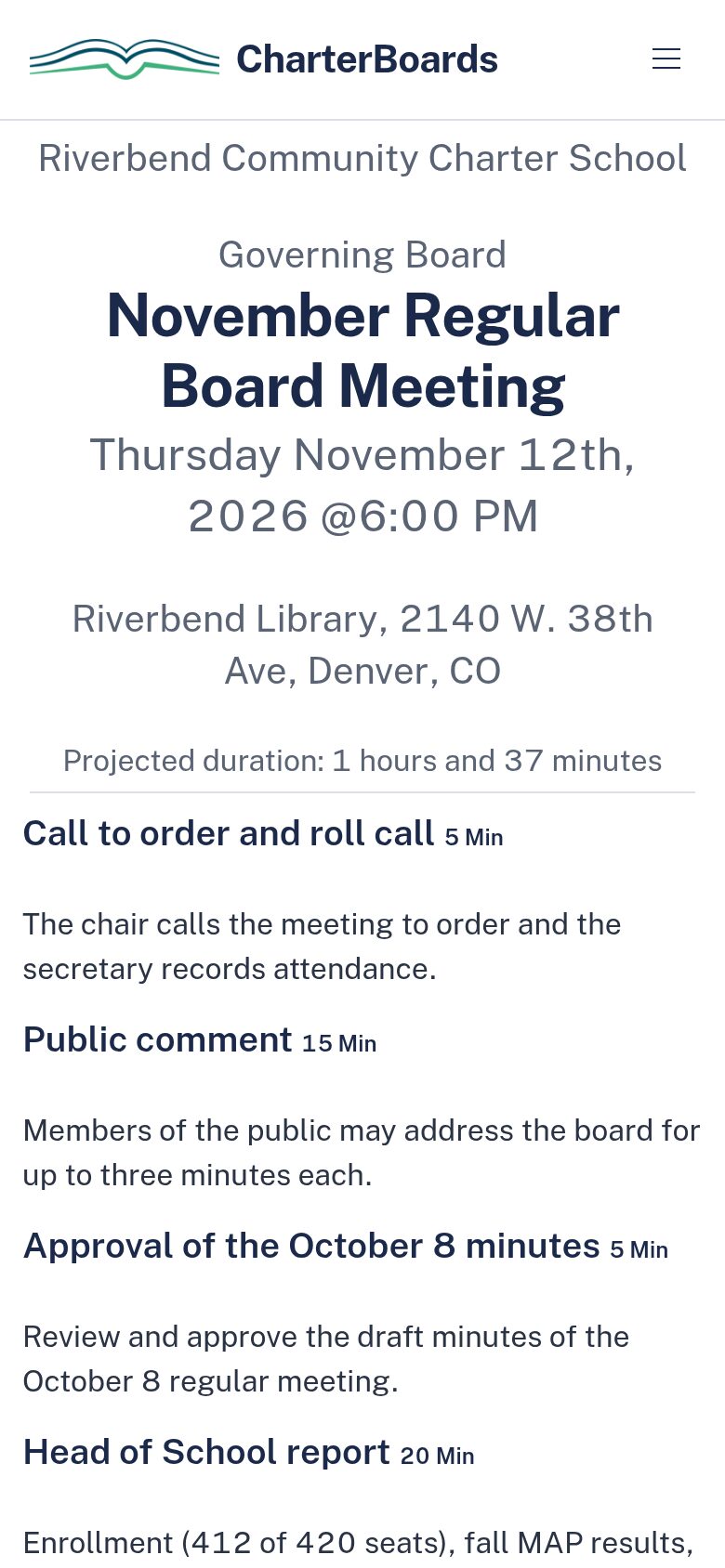
What your board members see.
Members read the agenda and packet on their phone or laptop, and send you questions before the meeting instead of during it. Nothing to install.
- The full agenda with times and attachments
- Feedback on the agenda before it's final
- Reminders before each meeting
Made for the person who actually runs the board's paperwork.
Usually that's the school leader or the office manager, not a full-time board clerk. CharterBoards started with charter schools and now serves other school boards too.
Charter schools
Open meetings, renewal, and authorizer requests, handled.
Learn more →Charter networks
Several boards and committees, one place to run them.
Learn more →District schools
School site councils, ELAC, and other advisory boards.
Learn more →Independent schools
Boards of trustees, with the public page turned off.
Learn more →"I was the chair of a public charter school board in Georgia, and I realized most of my work was compliance with our authorizer, not improving outcomes for kids. I'm a programmer, so I wrote software to help with that. After a while, other schools started using it."
Clay JohnsonFounder, CharterBoards
There is no student data in CharterBoards.
CharterBoards holds board records: agendas, minutes, packets, and policies. It never asks for student information, so there's no student data to protect or leak.
- Hosted in the United States, encrypted in transit
- Backed up every day to separate storage
- Download every record, any time, in one click
- Agenda editor and board packets
- Minutes recorder with motions and votes
- Public board page and meeting calendar
- Committees, unlimited meetings, file storage
- Your whole team and every board member
Free for 45 days. No credit card.
Try it with your next board meeting.
Set up your board, invite your members, and run your next meeting in CharterBoards. If you'd rather see it first, book 30 minutes with Clay.
$150 a month, billed yearly. Free for 45 days. No credit card.